Mobile Apps for us, by us – Your Cell Phone App Questions Answered
What are Mobile Apps?
Cellphone Apps are applications on your phone or computer that perform a highly specialized or individualized task. For example, there can be a smart mail app just for viewing, sending, and receiving mail on your Smartphone.
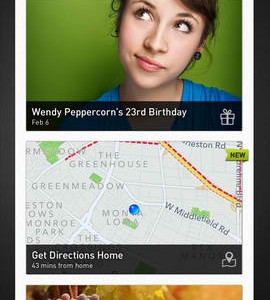
There can also be mobile phone apps for getting maps and finding directions for restaurants. There is an app for everything you could ever possibly want to do on a phone or on your computer. There are also web apps for online use through your desktop or laptop computer.
Cellphone Apps are useful because they are usually small in file size and allow the user to focus on that specific task. The new Apple iPad uses mainly apps to run different programs rather than functioning like a laptop where a browser is needed to go to certain programs or websites. Websites also have apps within their site for games or social entertainment. Many of the apps on Facebook are social games, like Farmville and a virtual pillow fight. Each app is its own program. Need to edit and upload a picture? There’s an app for that. There are apps serving many purposes from the important to pure entertainment.
What Machine Uses Apps?
Apple products like the iPhone, iPod Touch, and the new iPad use apps to enhance the user experience beyond the basic function of the machine. Sure, an iPhone is a phone, but it becomes much more than a phone when the user has the ability to download any number of applications. The iPad specifically uses the technology of the apps. Critics say that it is like the iPhone except one cannot make phone calls. Lovers say that it is a new era of portable web browsing, beyond a sleek new laptop. Other phones are jumping on the app band wagon. T-Mobile offers the Mytouch and G1 Android phones, which has its own Market app for finding more apps, mostly free.
Websites like Google, Myspace, and Facebook feature their own types of apps. Google has apps for business, such as Google GMail, Google Docs, and Google Calendar. The many apps allow businesses to improve their communication between their employees and keep everything much more organized. Apps for social networking sites like Myspace and Facebook allow the user to have apps for entertainment. There are plenty of game apps to add onto the profile that encourage interaction between people on the friend list. Facebook also has apps that allow friends to virtually send drinks, pillow fights, and stickers to each other for fun. Apps are a great way to improve the function and pleasure of the site, whether its for business or entertainment.
What types of Apps are There?
Communication apps allow the user to communicate better or faster. Email, AOL chat, messaging, and social community apps like Twitter and Facebook all use apps to perform those unique functions. It is fast to download and use, simply click on the icon to open that program. Lifestyle enhancers allow users to track calories and workouts, find recipes, even receive tips and tricks to relax, lose weight, quit smoking, and relieve stress. Entertainment apps are ones that can read the news, see movie trailers and showtimes, get ringtones, watch videos, download music, and read jokes and comics daily. There is a whole genre of shopping apps, designed to make shopping easier and to find the best bargain. You can even simply snap a photo of a barcode and instantly compare prices. There are helpful tools and widgets like the weather, calculator, dialer, compass, and bus schedules. Aside from these apps, there are countless games and wallpaper for instant download. People are constantly updating and making new apps for everything. The better question to ask would be, what types of apps aren’t there?
What are the Best Mobile Phone Apps?
The top apps for the phone are rated the most useful, entertaining, or practical to people using them on various types of Android and Smartphones. Some of the best apps are free.
• “Your Bank” app – It is very handy to know your balance instantly and be able to see the nearest bank.
• Budget tools – Mint for iPhone, for example, is a great way to see how and where your money goes.
• To-Do List apps – a useful, free tool for keeping a task list, due dates, and even has helpful reminders to get it done.
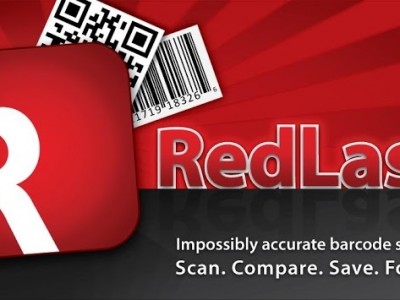
• Barcode Scanner – use this tool for tracking calories with another app, Google searching, or comparison shopping.
• Antivirus app– a free must for all phones to keep your phone clean of viruses.
• Note-taking apps – a useful tool for taking text, picture, or even audio notes right at your fingertips.
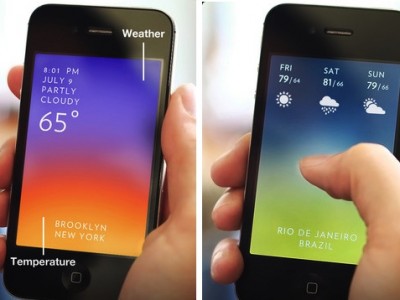
• Weather app– a useful widget for seeing the current weather and 5-day forecast. Plus, certain ones alert you of dangerous weather.
• Get around – a very cool app like Aloqa in the T-mobile market shows stuff to do, places to see, and restaurants to eat at in whatever city you may be in.
• Twitter app – Iphone has Tweetie for portable viewing and updating your Twitter status.
• Streaming music – Iphone has a great free app called Slacker for finding new music or listening to old favorites. Other phones have similar apps like Music Search for T-Mobile.
There are thousands of phone apps that are worth your time, and some that aren’t. Everyone wants to cash in on the popularity of this app-craze. The best way to find a good app is to always read the reviews and check the star ratings first. Then, download the app and use it immediately. Note what you like and what annoys you. If the app messes up your phone in any way or if you cannot figure out how to work it, uninstall it. If you want to get a paid cell phone app, try the free trial version first if there is one. If not, try it immediately after downloading and if you don’t like it, you can uninstall and get a refund. Look around for the best version of the app and keep trying until you find one that you can work with. If you download something that is fun just for a little while, its best to get rid of it rather than wasting space. Many people have too many useless apps on their phones and this can slow the phone and make even calls a cumbersome task. It is helpful to only download important apps, like apps for tracking money, calories or fitness, the weather, and your favorite social networking site. A few games can be useful when commuting or waiting in line, but don’t have too many games. Pick your favorites to avoid wasting space.